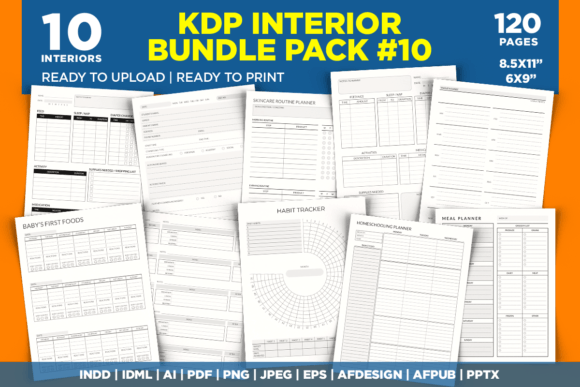
KDP Interior Bundle Pack 10: A Practical Toolkit for Low-Content Publishing
Publishing low-content books on Amazon KDP has become a reliable part-time income stream for designers, educators, freelancers, and small business owners. The challenge isn’t usually the idea — it’s the execution. Formatting interiors, checking margins, ensuring no-bleed compliance, and testing across multiple print profiles quickly consumes creative time. KDP Interior Bundle Pack 10 addresses this directly by providing a pre-formatted, tested collection of interior templates that slot into an existing production workflow, whether you publish a single planner or build an entire catalog of journals.
Instead of starting from a blank canvas every time, you gain immediate access to ten fully designed interiors, each sized in popular formats (8.5 x 11 and 6 x 9 inches) and carefully set up for Amazon’s print specifications. The bundle doesn’t replace your creativity — it removes repetitive technical setup, so you can focus on cover design, niche research, and marketing.
What the Bundle Actually Contains — A Look at the Interiors
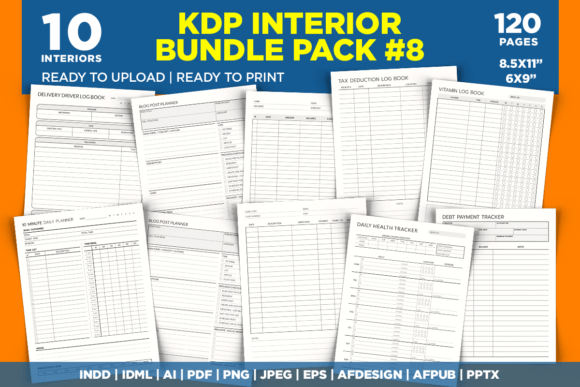
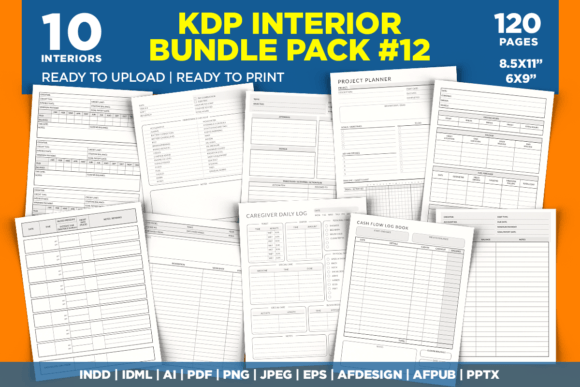
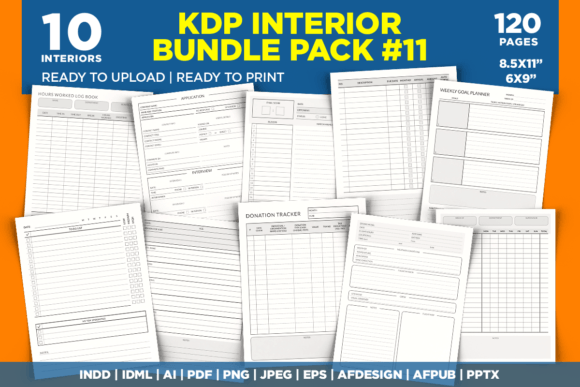
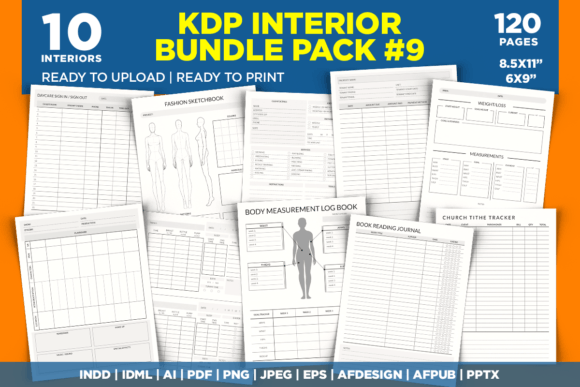
The pack includes ten distinct journal and log book pages, each saved as a 120-page PDF ready for direct upload. These aren't generic templates; they target specific, growing niches that consistently perform well on the KDP marketplace:
- Baby's First Foods (8.5 x 11 inches) — structured for parents tracking infant nutrition, with dedicated sections for food type, reactions, and dates.
- Diabetes Log Book (8.5 x 11 and 6 x 9 inches) — includes blood sugar tracking, medication logs, and meal notes, suitable for personal health management or caregiver use.
- Habit Tracker (8.5 x 11 inches) — a monthly and weekly layout for personal development, fitness, or mindfulness routines.
- Homeschooling Planner (8.5 x 11 inches) — lesson planning blocks, attendance trackers, and resource lists tailored to home educators.
- Meal Planner (8.5 x 11 and 6 x 9 inches) — grocery lists, daily meal logs, and nutritional notes in two versatile sizes.
- Nanny Log Book (8.5 x 11 inches) — daily activity sheets, feeding and nap records, and communication prompts between caregivers and parents.
- School Counselor Log Book (8.5 x 11 inches) — confidential session notes, student case tracking, and appointment scheduling pages.
- Skincare Routine Planner (8.5 x 11 inches) — product rotation trackers, skin condition logs, and morning/evening routine templates.
- Toddler Report Book (8.5 x 11 inches) — developmental milestones, daily summaries, and parent-teacher communication sheets.
- Year At A Glance (8.5 x 11 inches) — a minimal annual overview for goal setting, key dates, and monthly reflections.
Each interior follows a consistent 120-page structure, which is a sweet spot for KDP printing costs and customer expectations. Most are available in the larger 8.5 x 11 format, with the Diabetes Log Book and Meal Planner also offered in the travel-friendly 6 x 9 size. This intentional duplication saves you from reformatting a popular niche for a secondary trim size — a common workflow friction point when scaling a series.
Where KDP Interior Bundle Pack 10 Fits in a Broader Self-Publishing Workflow
Think of low-content publishing as a three-stage process: research and idea validation, interior and cover creation, and listing optimization. The bundle’s value concentrates squarely in the second stage, but its structure indirectly supports the first and third. When you already have a professionally formatted interior for a homeschool planner, you can quickly validate demand by uploading, attaching a simple cover, and testing the listing with minimal upfront work. If the niche shows promise, you reinvest time into custom covers and keyword optimization — not fixing margins or reordering pages.
For creators who use external tools like Canva, Photoshop, or Illustrator for covers, the PDF interiors become a drag-and-drop asset. You open the ready-made file, confirm it’s formatted correctly (no-bleed, proper gutter margins if needed), and combine it with your visual branding. The fact that all files are saved at 300 DPI ensures that any text or line art within the interior prints sharply — a quality signal that reduces return rates and negative reviews.
Editable Source Files and Customization in Practice
One of the most practical features of this bundle is the breadth of editable source files. Beyond the standard PDF, you receive INDD, IDML, AI, EPS, AFDESIGN, AFPUB, and PPTX formats, along with PNG and JPEG image exports. This multi-format approach means you aren’t locked into Adobe’s ecosystem. If your workflow runs on Affinity Publisher, you can open AFPUB files directly, adjust font styles, add your branding footer, or swap out header graphics without converting file types.
Customization doesn’t always mean heavy redesign. Often, it’s about subtle personalization: inserting a copyright page with your publishing imprint, adjusting page numbers, or adding a “Notes” section at the end. With the INDD and IDML files, you can batch-edit master pages, saving hours when adapting the same journal for multiple sub-niches (e.g., a “Gluten-Free Meal Planner” variant). The PPTX format might feel unexpected, but it’s surprisingly useful for quick text edits or for clients who prefer working in PowerPoint to review layout before finalizing in a design tool.
Even if you never touch the source files, the high-quality PDF is already tested for KDP. That phrase — “tested for KDP” — matters. It means the interior has passed Amazon’s automated checks for trim size, bleed settings (none, in this case), and margin consistency. That test step, if done manually, can involve trial-and-error uploads and rejected files, which stalls your publishing timeline. Bypassing that entirely is a quiet but significant efficiency gain.
Integrating with Your Existing Tools and Platforms
A common question is how these interiors behave with other publishing tools. Since the PDF is press-ready, you can upload directly to KDP without passing through any intermediate software. However, if you use a service like Book Bolt or Helium 10 for niche research, you can correlate the bundle’s interiors with keyword data. For instance, if you notice “skincare journal for teens” trending with low competition, you can take the Skincare Routine Planner interior, adjust the cover to appeal to a younger demographic, and quickly publish a targeted listing — all while the trend is active.
The files also integrate smoothly with print-on-demand workflows outside Amazon. If you use Ingram Spark or Lulu for expanded distribution, the no-bleed setup and standard trim sizes remain compatible. The 8.5 x 11 format, in particular, is widely accepted across platforms, so you aren’t recreating interiors for omnichannel strategies.
For those who collaborate with virtual assistants or freelance designers, the organized file structure — with clearly named folders and consistent formats — reduces handoff friction. You can send an IDML file for minor modifications and the PDF for final approval, keeping version control simple.
Quality Control and Consistency Across Multiple Titles
Publishing a single journal is straightforward; managing ten or twenty across various niches can become messy. Inconsistent fonts, shifting margin widths, and mismatched page counts hurt your brand’s perceived professionalism. KDP Interior Bundle Pack 10 enforces consistency by default — all interiors share the same foundational setup: 120 pages, 300 DPI, no bleed, and tested margins. When you publish the Diabetes Log Book in both sizes, the core layout remains familiar, even though dimensions differ. That familiarity signals to customers that your products are reliable, which can increase repeat purchases across your catalog.
Using these interiors as a baseline also makes it easier to create series. Once the Habit Tracker sells, you can release a companion “Productivity Planner” by adapting the same source files, changing headers, and resubmitting. Because the technical foundation is identical, you won’t encounter surprise formatting rejections. This consistency is especially important when you schedule bulk uploads — perhaps ten titles in a single afternoon — where a single flawed file can derail a publishing sprint.
Practical Organization and Long-Term Use
When you receive a bundle this large, organization becomes part of the workflow. Create a master folder on your cloud storage (Dropbox, Google Drive) or local drive named “KDP Interiors - Bundle 10.” Inside, duplicate the entire set before making any edits, preserving the original tested files as a safe copy. Name edited versions clearly, such as “Skincare_Planner_TeenEdition_v2.indd,” and keep a changelog text file if multiple people touch the files.
For long-term use, revisit the editable source files when niche trends shift. A “Homeschooling Planner” designed in 2024 can be refreshed for 2025 with updated yearly calendars or new educational subtopics. Because you have the layered AI and AFDESIGN files, you can repurpose icons and layout elements for entirely new journals — maybe a “Chore Chart for Kids” built from the Toddler Report Book’s daily log structure. This asset reuse extends the bundle’s value well beyond its initial purchase.
Another often-overlooked aspect is the learning opportunity. Studying the INDD files with layers intact shows you how professional interiors are built: master page setup, text frame positioning, and style application. If you’re transitioning from Canva-only publishing to more robust tools like InDesign or Affinity Publisher, these files serve as practical, real-world templates to reverse-engineer. Over time, you internalize spacing standards and can create your own interiors faster — but even then, having a batch of ready-made, tested templates saves you from reinventing the wheel on repetitive projects.
Making the Bundle Work for Your Specific Goals
The target audience for low-content books is broad, and the bundle serves different operators differently. A part-time freelancer might cherry-pick two or three interiors, focusing on the Meal Planner and Habit Tracker, to build a manageable portfolio around health and wellness. A school administrator or counselor could use the School Counselor Log Book and Toddler Report Book not for resale, but as internal tools — printed directly from the PDF for day-to-day documentation. A print shop owner might load the files onto a local printer for on-demand spiral binding services, offering pre-printed planners to walk-in customers.
Regardless of the application, the unifying workflow is: select, customize minimally (if needed), verify against KDP’s current requirements (which rarely change for no-bleed interiors), and publish. The interiors are not intended to be the final product shipped to a customer; they require a cover, and that’s where you inject your unique branding, market positioning, and keyword strategy. The bundle clearly states that it provides interiors only, so plan to create or outsource covers separately. Tools like Canva, Photoshop, or even KDP’s Cover Creator work well with the known dimensions.
Finally, because the files are high-resolution (300 DPI) and in print-ready PDF format, there’s no waiting period for rendering or validating. You can upload, preview, order a proof copy, and have a live listing the same day if you’ve done your cover homework. That speed-to-market is a competitive advantage in niches where trends evolve quickly — think seasonal planners, event-specific journals, or pop-culture-adjacent trackers.
KDP Interior Bundle Pack 10 represents a pragmatic investment for anyone serious about building a low-content publishing pipeline. It removes the repetitive, technical heavy lifting so you can spend more energy on what makes each book sell: the niche choice, the cover design, and the marketing message. Whether you use it to launch your first journal or to fill gaps in an existing catalog, the bundle fits neatly into a process that values efficiency, consistency, and professional-grade output.